Version 1.4.3 now live on the App Store

Save the video.
Keep the point.

Share any Reel, TikTok or YouTube clip to Clipnote. A few seconds later you have a clean note: takeaways, action items, quotes and questions.

Download on the App Store
★ 4.8 rating · No video stored · Free tier included
Try it

Watch a clip become a note.

1
Tap Share
In Instagram, TikTok, YouTube or any app.
2
Pick Clipnote
It sits in your iOS share sheet.
3
Keep scrolling
Audio is transcribed and distilled in the background.
4
Your note is ready
Takeaways, actions and quotes, saved offline.
Swipe the phone to switch clips.
9:41
Cn
Save to Clipnote
⚡ PRO
↑
Uploading
Sending audio only…
≋
Transcribing
Speech to text
✦
Extracting knowledge
Builds structured notes from transcript
Closing this sheet won't cancel it. Your note will be waiting in Clipnote.
Cancel
Works from the Share button in
Instagram
TikTok
YouTube
Facebook
Threads
X
Any link
Workflow

From scroll to substance in three steps.
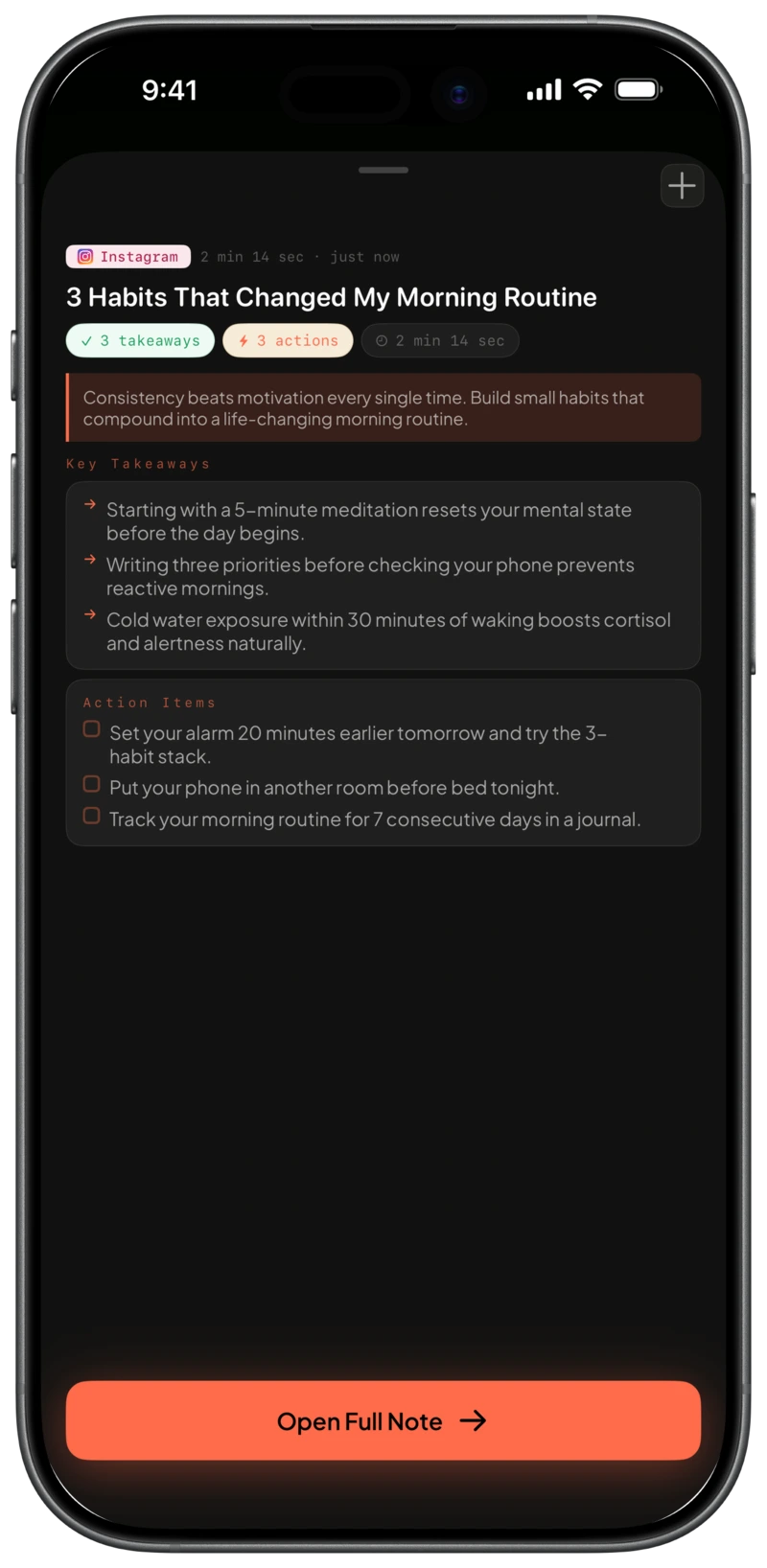
Clipnote iOS Share Extension processing an Instagram reel
01
Tap Share from any app
Watching on Instagram, TikTok, YouTube, X or Safari? Open the iOS share sheet and pick Clipnote.
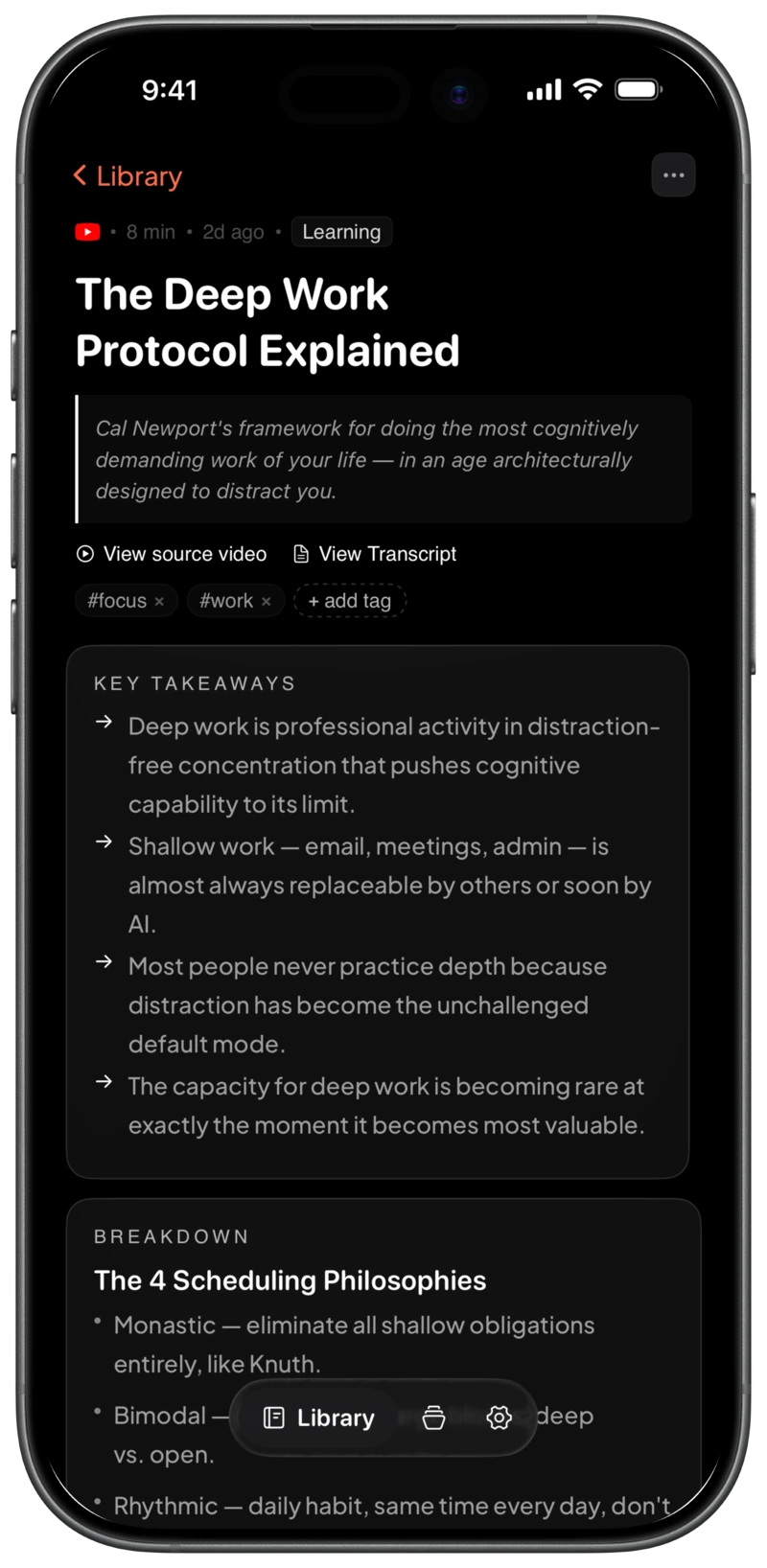
Finished Clipnote note with key takeaways
02
Speech becomes structure
Whisper transcribes the audio. AI pulls out takeaways, steps and exact quotes, without the wall of transcript.
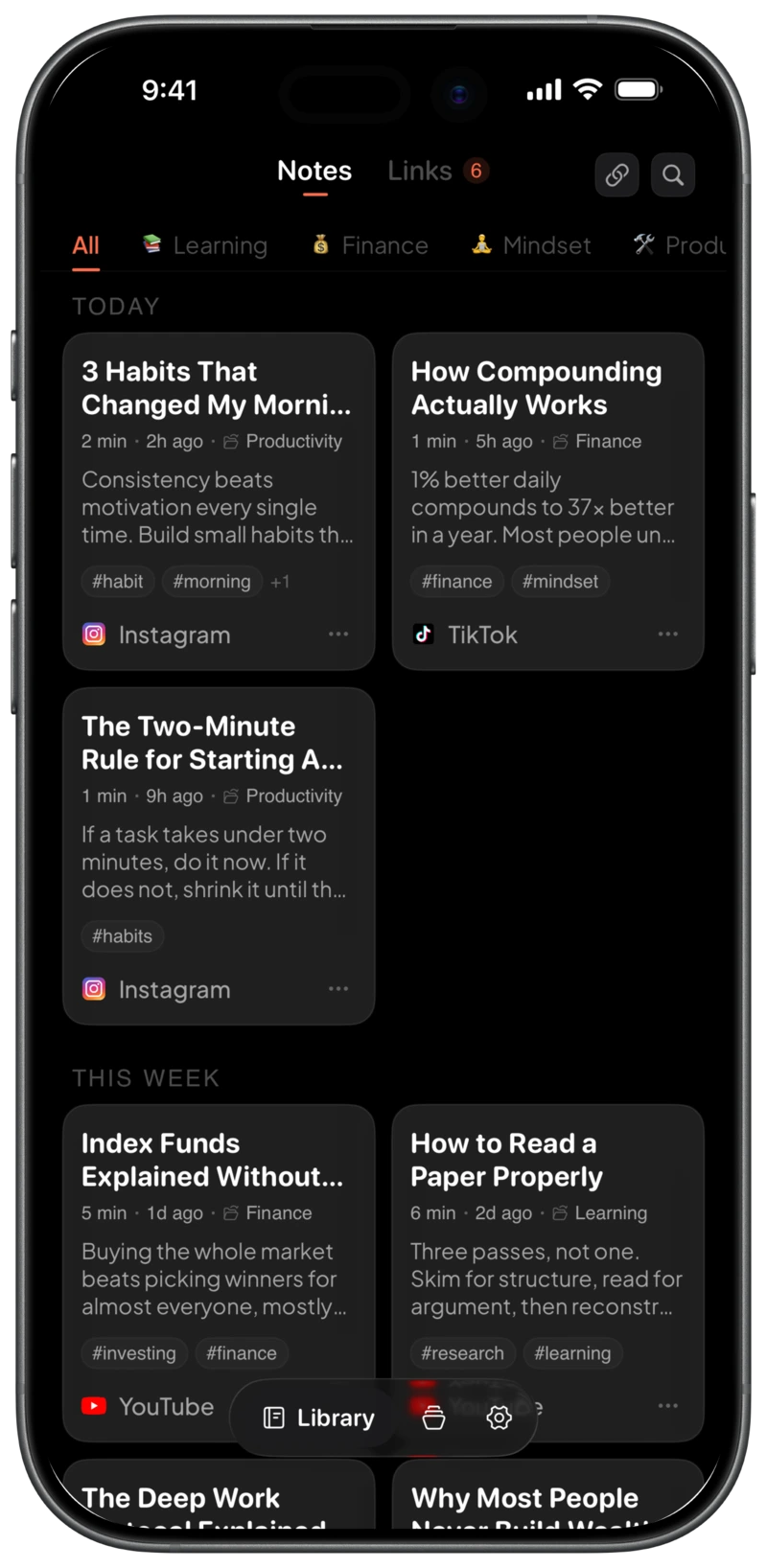
Clipnote offline library organised by topic
03
Saved to your offline library
Notes are stored on your device. Search everything, file into collections, export to Markdown or Notion.

Not a transcript.
A note.

3 to 7 high-signal points that carry the real message.
Takeaways · from "3 Habits That Changed My Morning Routine"
Starting with a 5-minute meditation resets your mental state before the day begins.
Writing three priorities before checking your phone prevents reactive mornings.
Cold water exposure within 30 minutes of waking boosts cortisol and alertness naturally.

Built for focus and retention.

57 languages

Multilingual speech is auto-detected, and notes are written in the language you choose.

Offline-first

Every note is stored on your iPhone or iPad. Search and read without a connection.

Tags and collections

File notes into folders with their own icons and colors. Filter by topic in one tap.

Markdown and Notion export

Your notes are never locked in. Export clean Markdown for Notion, Obsidian and Bear.

Simple plans. Cancel anytime.

Managed through your Apple ID. The free tier includes 5 notes every month.

Free
Try the full experience
$0 forever
  • ✓5 structured notes per month
  • ✓Takeaways, action items, quotes
  • ✓Offline library on device
  • ✓Tags, folders and search
Download on the App Store
Pro Annual Best value
For curious learners and builders
$29.99 per year
$2.50 a month · save 50%
  • ✓Unlimited notes
  • ✓Priority queue on a faster model
  • ✓7-day free trial
  • ✓Export to Markdown and Notion
Start 7-day free trial
Pro Monthly
Flexible month to month
$4.99 per month
  • ✓Unlimited notes
  • ✓Priority queue on a faster model
  • ✓Export to Markdown and Notion
  • ✓Cancel anytime in Apple ID settings
Get started
Privacy pledge

Videos are processed and deleted. Never stored.

Media streams through the transcription pipeline and is discarded immediately. Your notes are encrypted, never sold, and never used to train models.

Read the privacy policy →
Zero video retention
No AI training on your notes
Encrypted at rest

Questions

An iOS app that turns shared videos and links from Instagram, TikTok, YouTube, Facebook, Threads and X into structured notes: takeaways, steps and quotes.

Tap Share in Instagram, TikTok, YouTube or your browser and choose Clipnote. The clip is processed in the background while you keep browsing.

Transcripts are walls of text full of filler. Clipnote distills the content into takeaways, action items, exact quotes and inline definitions.

Nowhere. Media is streamed only to extract audio, and the video is deleted as soon as transcription finishes. Only your note and text transcript remain.

Processing a new video needs a connection. Every note you already have is stored on your device, so you can browse and search offline.

Yes. Pro users can export single notes or the whole library as Markdown, ready for Notion, Obsidian, Bear or Apple Notes.

Capture knowledge before you scroll away.

Download on the App Store
iPhone and iPad · 5 free notes every month, no credit card required